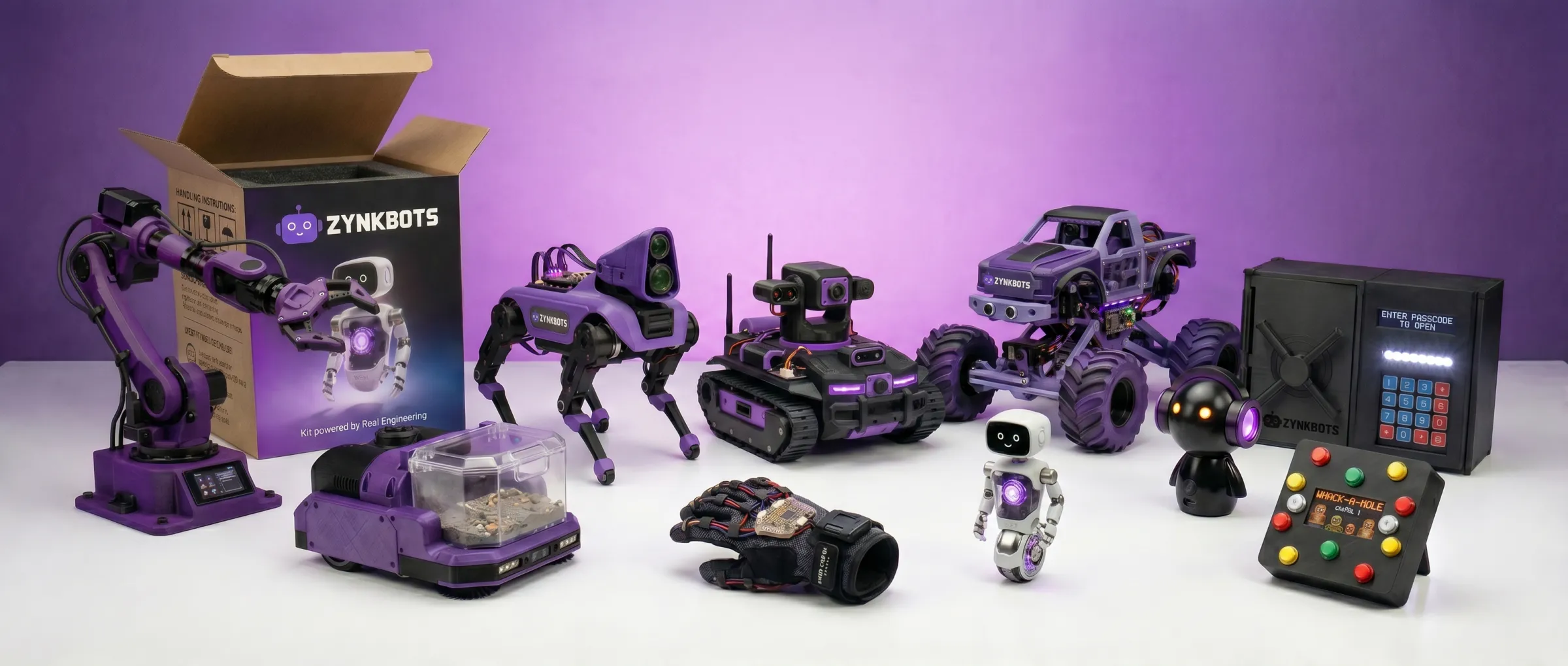
The 18-month path
A NEW DEVICEEVERY MONTH.
Semester 1 in order, each build on the last. One stand-alone kit for anyone who wants to try first.
Spark & Circuit

Month 1 is live
Cyclone LED
Cyclone LED is Month 1 of the Zynk Bots path: a reflex game you build and keep. A ring of 45 addressable RGB LEDs chases around the dial, and you press the button to stop the light on the target. Hit it and the game speeds up; miss and the round resets, with your level and high score on the built-in display. You start by trying each component on a breadboard, then in the final week put the whole game together on its own printed circuit board and case. Along the way you write and change the code yourself. No experience and no soldering needed.

Smart Alarm Clock
Smart Alarm Clock is Month 2 of the Zynk Bots path: a real bedside clock you build and keep. A 2.42-inch OLED screen shows the time, date and your alarm, a real-time clock module keeps accurate time, a touch sensor and buttons set the alarm and snooze, and an LED light bar and buzzer wake you up. You move up to a second microcontroller, the ESP32, try each part on a breadboard, then assemble everything on the clock's own circuit board and case. Along the way you write the timekeeping, alarm and scheduling code yourself. No soldering needed.

Crack-the-Code Safe
Crack-the-Code Safe is Month 3 of the Zynk Bots path: a working, PIN-protected safe you build and keep. Type your code on the 4x4 keypad, the 16x2 screen asks for the passcode and shows the result, a servo slides the lock open, and the LED strip and buzzer react to right and wrong guesses. You move to a third microcontroller, the Arduino Uno, try each part on a breadboard, then assemble everything into the safe's own case. Along the way you write the state machine that runs it, the single most important pattern in embedded software. No soldering needed.

Speedy Buttons
Speedy Buttons is Month 4 of the Zynk Bots path: an arcade-style reflex game you build and keep. Ten light-up arcade buttons call out targets in random order, you race to hit them in time, and an LED matrix scoreboard scrolls your score while the speaker plays sound effects. Two chrome 1P/2P start buttons let you play solo or take on a friend, so the whole family can compete. You're back on the Arduino Nano, trying each part on a breadboard before assembling everything into the game's own case. Along the way you learn non-blocking timing, the trick real firmware uses to juggle many things at once. No soldering needed.

Nimbus
Nimbus is Month 5 of the Zynk Bots path: a bedside RGB touch lamp that senses the room around it. Tap the touch pad to switch it on, turn the dial to set the brightness, and watch it glow through a 45-LED color ring. A light sensor notices when the room gets dark, a temperature sensor and a MOSFET-driven fan keep it cool, and a small OLED screen shows what it's doing. Your settings are saved so they survive power-off, and a secret tap pattern unlocks a hidden easter egg. You're back on the Arduino Nano, trying each sensor on a breadboard before assembling everything into Nimbus's own case. No soldering needed.

Ping
Ping is Month 6 and the capstone of Spark & Circuit: a two-unit wireless family intercom you build and set up at home. Press a button on one unit and your message scrolls across the other unit's LED matrix, while its light ring pulses and it chimes until someone taps to say they've got it. Each unit shows both rooms' temperatures, switches between household modes like Quiet and Sleep on a schedule, and the pair doubles as a head-to-head wireless reaction game. Both units run on rechargeable batteries, so they can go wherever the family is. Ping uses every skill from Months 1 to 5, plus one big new one: designing a wireless protocol with ESP-NOW. No soldering needed.
Stand-alone Kits

Riff
Riff is a build-it-yourself Bluetooth stereo speaker shaped like a little robot wearing headphones, with eyes that pulse to the music. Everything arrives pre-soldered, so there's no soldering iron, no code and nothing to buy: the Allen key and every screw are in the box. Over two weeks you learn how speakers, Bluetooth amplifiers and lithium-ion batteries work, try circuits safely in a browser simulator, trace and check the wiring harness like a real technician, then connect the eye board and assemble the enclosure. You finish with a rechargeable speaker you can pair with your phone and take anywhere. An optional third week shows you how to measure and tune your speaker.
Coming soonView Details
EVERY KIT.EVERY TOOL.EVERYTHING.
Every component and tool arrives in one box. No sourcing, no trips to the shop. Just build.